99.9% SLA
Topaz Image Restore: AI Photo Restoration Review & Practical Guide
Topaz Image Restore enhances older and lower-quality photos by removing the damage time leaves behind - dust, scratches, tears, and the general degradation that makes vintage prints look tired. It is the restoration half of the photo-recovery workflow, aimed at family archives and historical collections rather than creative editing.
Restoration is a discipline with strong opinions, because the goal is not to make an old photo look new - it's to make it look like it did when it was taken. That means removing damage without erasing character, texture, or the honest grain of the original. Topaz Image Restore is built around that distinction.
Quick Facts
| Attribute | Value |
|---|---|
| Tool name | Topaz Image Restore |
| Tool ID | topaz-image-restore |
| Developer | Topaz Labs |
| Category | AI photo restoration |
| Primary task | Restore old and damaged photos |
| Input | Aged or damaged photo |
| Output | Restored photo |
| API | REST inference, no cold starts |
| Best for | Family archives, historical collections, digitization projects |
Table of Contents
- First Impressions
- Core Features
- What to Watch For
- Core Advantages
- Best Use Cases
- Who Should Use It
- FAQ
1. First Impressions
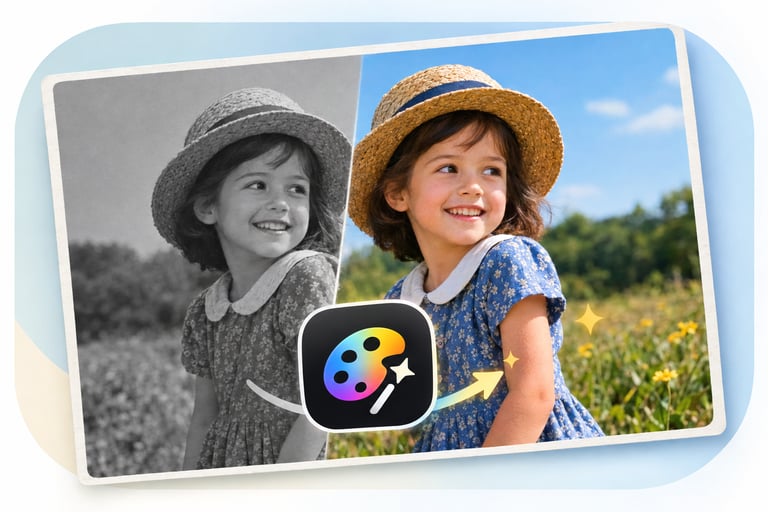
Feed it a scratched 1950s family portrait and the damage lifts away: scratches disappear, dust spots vanish, and the face underneath gains the clarity it had when the print was fresh. What remains looks like a well-kept vintage photo, not a CGI remake - which is exactly the right outcome.
It is a respectful restorer. The model fixes defects rather than restyling the photo, so an archive can be cleaned without losing the era's look. For anyone digitizing a family collection, that restraint is the feature.
2. Core Features
- Damage removal: cleans dust, scratches, tears, and surface defects.
- Quality enhancement: lifts clarity and definition from aged, poorer-quality prints.
- Character preservation: keeps the vintage look and honest texture of the original.
- Facial recovery: restores detail in the faces that matter most in family photos.
- REST inference API: batch-ready with no cold starts, from Topaz Labs.
3. What to Watch For
- Severe damage has limits: large missing sections or heavy chemical degradation can't be fully reconstructed.
- Scan quality matters: restore from the best possible scan; the tool can't fix a bad digitization.
- Faces deserve review: restored faces can drift toward an idealized look on aggressive settings.
- Combine with colorization carefully: restore first, then colorize, for the best combined result.
4. Core Advantages
- Archive-grade cleanup: damage removal at scale makes digitization projects practical.
- Natural results: restored photos keep their vintage character instead of looking over-processed.
- Fast turnaround: a box of family photos becomes a restored digital archive in days, not months.
- Trusted name: Topaz's restoration expertise carries into the API.
5. Best Use Cases
- Digitizing and restoring family photo archives.
- Historical society and library collection cleanup.
- Preparing old portraits for reprinting or framing.
- Restoring damage before colorization or further enhancement.
6. Who Should Use It
Pick it up if you're digitizing old photos - family, historical, or professional archives - and want damage cleaned without losing the original character.
Skip it if the damage is so severe that whole sections of the image are missing; no restorer can invent what isn't there.