99.9% SLA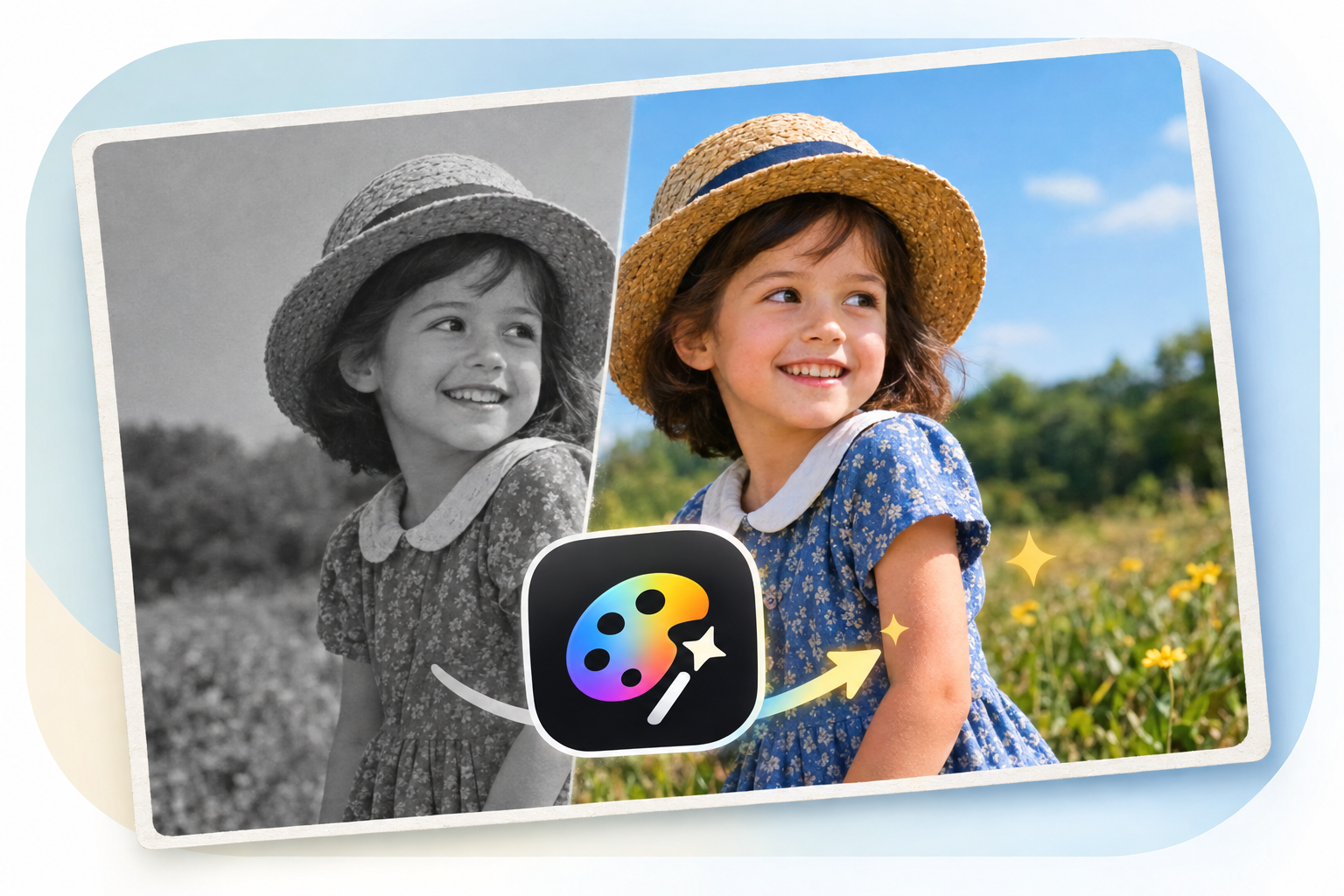
AI Photo Colorizer: Photo Colorization Review & Practical Guide
AI Photo Colorizer takes black-and-white or faded photos and reconstructs plausible color - skin tones, fabrics, skies, foliage - from grayscale information alone. It is a restoration-adjacent tool in the most literal sense: the model is guessing what a scene looked like based on learned patterns, and the best results come when the photo gives it enough context to guess well.
Colorization is one of those tasks where everyone has seen a bad example: skin that looks like a mannequin, grass that glows unnatural green, color bleeding past edges. The quality bar here is whether the color stays inside objects and stays believable for the era of the photo. That bar is what separates this tool from the one-click filters that colorize everything in the same palette.
Quick Facts
| Attribute | Value |
|---|---|
| Tool name | AI Photo Colorizer |
| Tool ID | ai-photo-colorizer |
| Category | AI photo restoration / image enhancement |
| Primary task | Add realistic color to black-and-white or faded photos |
| Input | Grayscale or faded photo |
| Output | Colorized photo |
| API | REST inference, no cold starts |
| Best for | Family archives, historical photos, creative restorations |
Table of Contents
- First Impressions
- Core Features
- What to Watch For
- Core Advantages
- Best Use Cases
- Who Should Use It
- FAQ
1. First Impressions
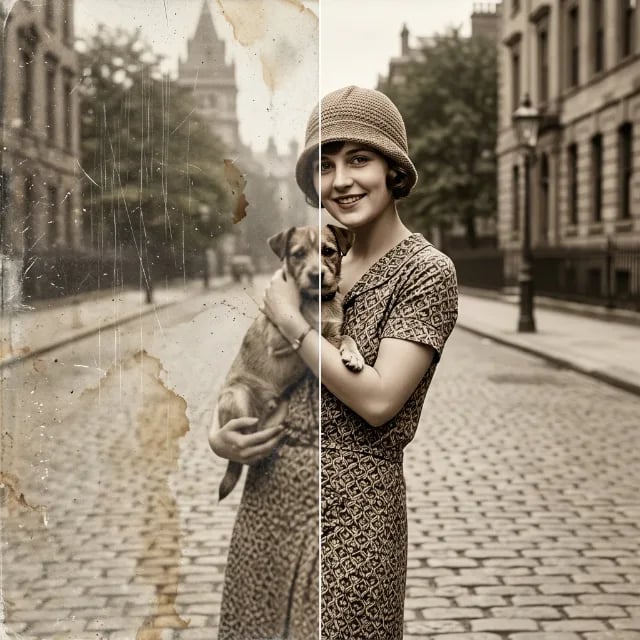
Run a clean 1940s portrait through AI Photo Colorizer and the result is genuinely convincing - skin tones stay warm and human, hair keeps depth, and backgrounds don't turn into flat color fields. The model is clearly trained on a broad range of photography, not just studio portraits.
The tool is equally comfortable with street scenes, landscapes, and snapshots, though the reliability drops as the source quality drops. Heavily damaged photos produce softer color because there is less detail for the model to anchor to. That is worth knowing before you set expectations for a badly scratched print.
2. Core Features
- One-click colorization: no masks, no manual segmentation, no color hints required for typical photos.
- Context-aware palettes: the model uses scene cues - sky, skin, vegetation, era-typical objects - rather than applying a blanket tint.
- Detail preservation: fine textures like fabric weave and hair strands survive the color pass instead of being smoothed away.
- Faded-photo handling: usable on old color prints that have lost saturation, not just pure grayscale.
- REST inference API: designed for batch restoration jobs with no cold starts and predictable pricing.
3. What to Watch For
- Color is an educated guess: the model infers colors from context; specific brand colors, uniforms, or intentional design choices may not match reality.
- Low-quality inputs limit results: scratches, blur, and heavy JPEG artifacts reduce the detail the model can colorize cleanly.
- Skin tones need a sanity check: on unusual lighting or heavily processed scans, verify skin looks human before shipping the result.
- Combine with restoration, not instead of it: for damaged photos, a repair pass (scratch removal) before colorization gives noticeably better results.
4. Core Advantages
- Massive time savings: hand-colorizing a single portrait can take hours; this delivers a credible base in seconds.
- Batch-friendly: the simple request/response shape makes archive-scale colorization practical.
- Good baseline for human finishing: results are clean enough to hand-tune rather than redo from scratch.
- Consistent quality across subjects: the model generalizes across portraits, landscapes, and objects without per-photo tuning.
5. Best Use Cases
- Family photo archives and historical society digitization projects.
- Vintage footage and stills for documentaries or editorial use.
- Creative projects that need period-appropriate color treatments.
- E-commerce and content workflows that inherit legacy black-and-white imagery.
6. Who Should Use It
Pick it up if you work with vintage photography at any scale - archives, restoration services, editorial, or family projects - and want credible color fast.
Skip it if you need historically verified color accuracy (where research should drive the palette) or if your source scans are so damaged that colorization has nothing to anchor to.