99.9% SLA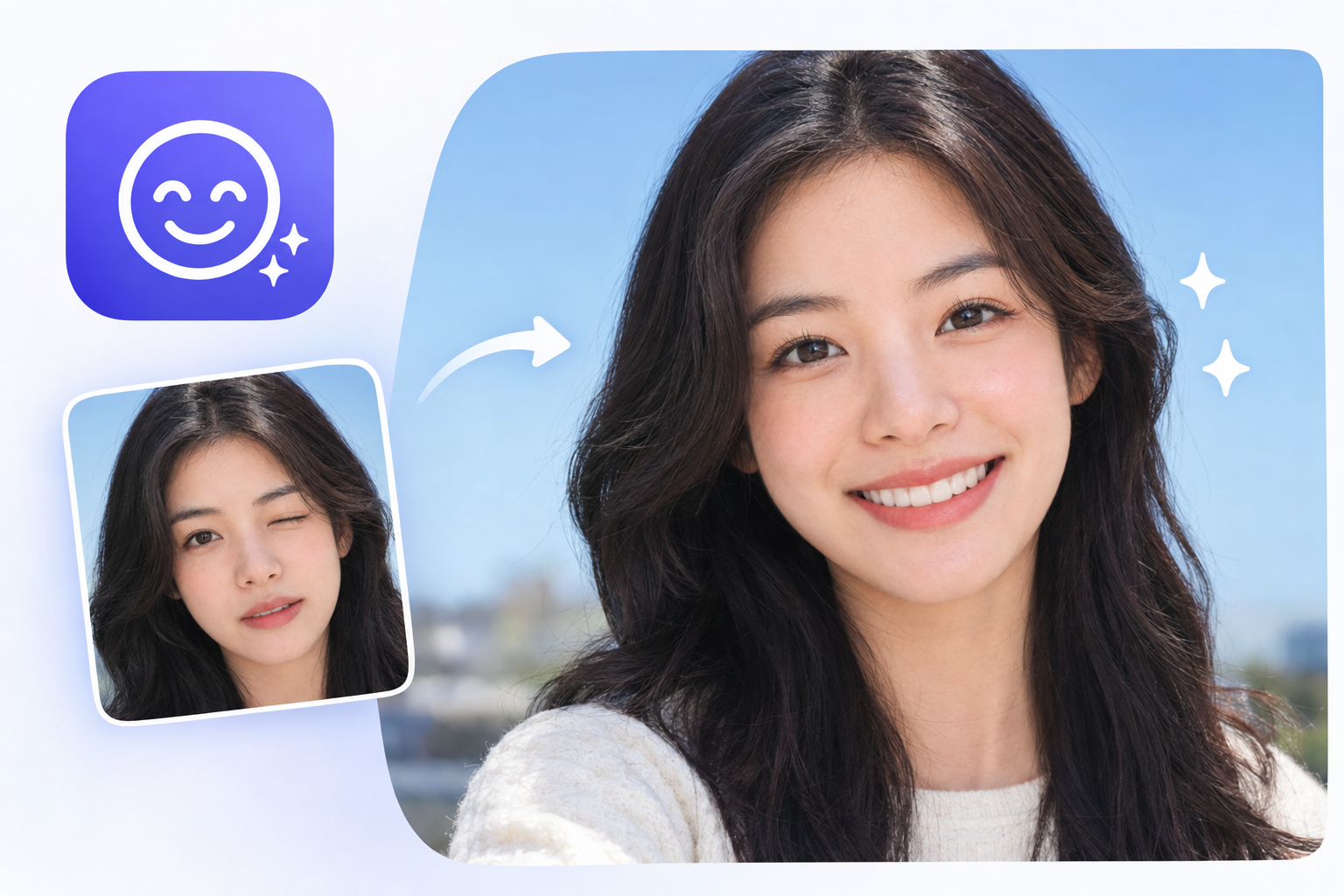
AI Smile Filter: Expression Editing Review & Practical Guide
AI Smile Filter edits the expression in a portrait - adding a smile, widening one, or adjusting the one captured - without rebuilding the rest of the face. It is a small, specific capability that solves a very common problem: the photo where everyone looks good except for the one person mid-blink or caught in a grimace.
Expression editing is deceptively hard. A smile is not just a mouth curve; it pulls the cheeks, changes the eyes, and shifts the whole face's tension. Filters that ignore that produce the stretched-lip look that everyone recognizes as fake. The quality test is whether the smile reaches the eyes.
Quick Facts
| Attribute | Value |
|---|---|
| Tool name | AI Smile Filter |
| Tool ID | ai-smile-filter |
| Category | AI photo editing / portrait retouching |
| Primary task | Add or adjust smiles in portrait photos |
| Input | Portrait photo |
| Output | Photo with edited smile |
| API | REST inference, no cold starts |
| Best for | Group photos, portraits, social content, e-commerce models |
Table of Contents
- First Impressions
- Core Features
- What to Watch For
- Core Advantages
- Best Use Cases
- Who Should Use It
- FAQ
1. First Impressions
On a standard portrait, the added smile looks like the person's own smile - the mouth, cheeks, and eyes move together in a way that reads as genuine. The model clearly understands that expression is a whole-face event, which puts it well ahead of the filters that only redraw the mouth.
It is also refreshingly surgical. Teeth look like teeth, skin doesn't warp around the new expression, and the rest of the portrait stays untouched. For photo editors, that precision is what makes it usable.
2. Core Features
- Expression-aware editing: the smile is applied with the cheek and eye changes that make it look real.
- Add or adjust: works on neutral expressions and can refine existing smiles.
- Surgical application: the rest of the face, hair, and background remain unchanged.
- Natural teeth rendering: no uncanny denture-look artifacts on typical inputs.
- REST inference API: no cold starts, built for photo-editing products.
3. What to Watch For
- Input quality matters: clear, well-lit, frontal faces produce the most believable expressions.
- Strong source expressions limit editing: a heavily exaggerated face is harder to reshape than a neutral one.
- Check eyes on close-ups: the "smile reaching the eyes" detail is where realism lives or dies.
- Batch consistency: when processing groups, verify each person's edit looks individually natural rather than templated.
4. Core Advantages
- Fixes the unfixable shot: a neutral or awkward expression becomes a presentable portrait.
- Whole-face realism: the smile reads as genuine because eyes and cheeks move with the mouth.
- Time-saving retouch: replaces manual warping and liquify work.
- Integration-ready: simple API shape fits consumer and pro editing apps.
5. Best Use Cases
- Group photos where one person's expression ruins the take.
- Portrait retouching and social-ready headshots.
- E-commerce model photography where a consistent smile is desired.
- Creative projects needing a specific expression on a face.
6. Who Should Use It
Pick it up if you retouch portraits, manage group photography, or build photo-editing products and need believable expression edits.
Skip it if you need to invent entirely new expressions from heavily angled or occluded faces - the tool works best on clear frontal portraits.