99.9% SLA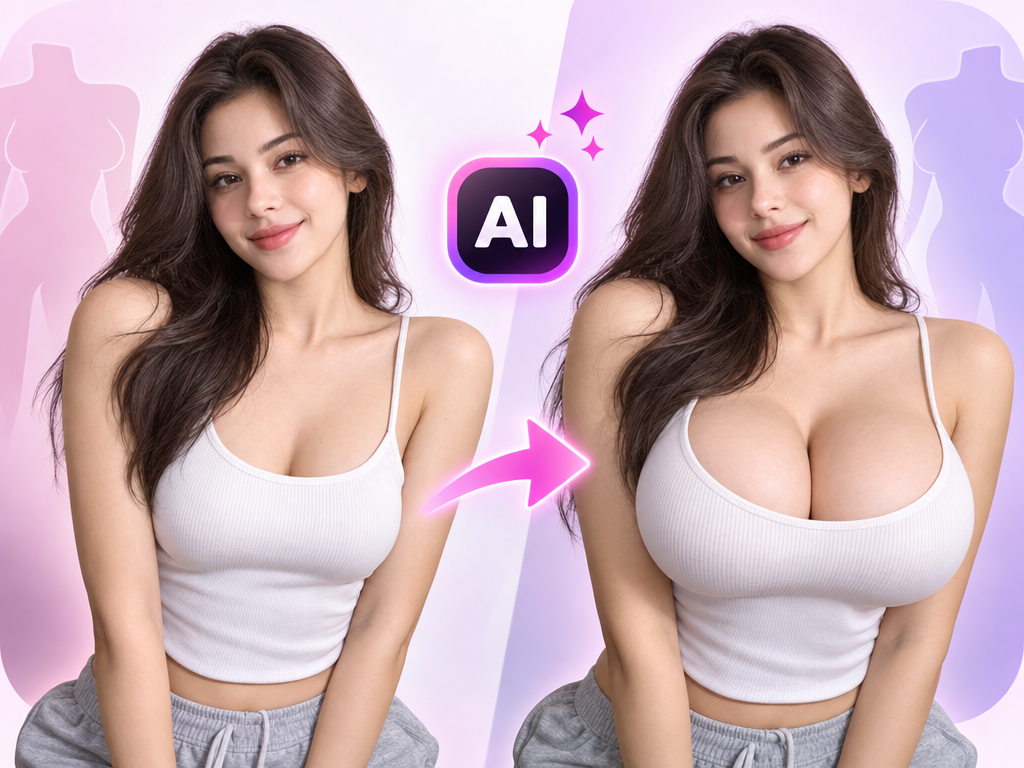
AI Breast Expansion: Body-Edit Filter Review & Practical Guide
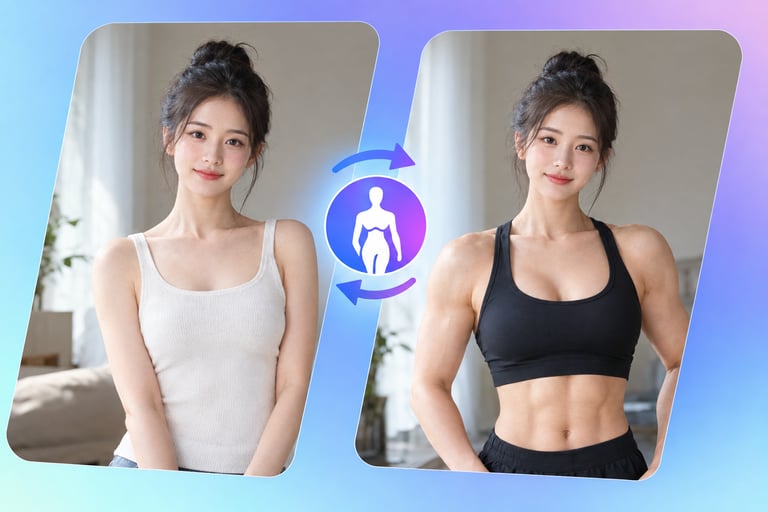
AI Breast Expansion is a photo-editing filter in the body-modification category: it takes a portrait and re-renders the subject's physique to an exaggerated size. It is one of a family of "body edit" tools that also includes physique, height, and muscle adjustments - all aimed at personal-image play rather than realistic photography.
This is a niche tool with a clear audience and clear boundaries. It is not a serious retouching product, and it is not pretending to be. The honest framing is that it exists for adult-oriented entertainment and personal image experimentation, and the review standards that apply are about output quality and responsible use, not about comparing it to professional photo editing.
Quick Facts
| Attribute | Value |
|---|---|
| Tool name | AI Breast Expansion |
| Tool ID | ai-breast-expansion |
| Category | AI photo editing / body modification filters |
| Primary task | Re-render a portrait with an expanded figure |
| Input | Portrait photo |
| Output | Edited portrait image |
| API | REST inference, no cold starts |
| Best for | Adult entertainment content, personal image experimentation |
Table of Contents
- First Impressions
- Core Features
- What to Watch For
- Core Advantages
- Best Use Cases
- Who Should Use It
- FAQ
1. First Impressions
On its own terms, the tool does what it promises: the edit is applied to the subject consistently, with the surrounding scene, lighting, and face left intact. The result is a smooth, integrated transformation rather than a cut-and-paste job.
The evaluation that matters here is fit-for-purpose. For its intended use - adult-oriented image play - the quality is serviceable and the output is coherent. For any realistic or professional use, it is the wrong tool by definition.
2. Core Features
- Targeted body edit: the physique is re-rendered while the rest of the image stays stable.
- Scene preservation: background, lighting, and pose remain consistent.
- Identity preservation: the subject's face is not altered by the body edit.
- One-photo workflow: a single input image is all that is required.
- REST inference API: no cold starts for apps serving this content category.
3. What to Watch For
- Exaggeration is the point: outputs are stylized and unrealistic by design - set expectations accordingly.
- Consent and provenance: the source photo must be of someone who authorized this kind of modification.
- Platform restrictions: many hosting and advertising platforms restrict or prohibit body-modification content.
- Not for realistic use: this is an entertainment filter; do not use it for professional retouching or representation.
4. Core Advantages
- Coherent output: the edit integrates with the photo rather than looking pasted on.
- Simple workflow: one photo in, edited image out, no masking or manual adjustment.
- Fast iteration: exploring variations of the effect takes seconds.
- API-ready: suitable for products that serve this specific content category.
5. Best Use Cases
- Adult-oriented entertainment content.
- Personal image experimentation within adult platforms.
- Character and fantasy imagery where stylized body proportions are requested.
- Niche creator content on platforms that permit it.
6. Who Should Use It
Pick it up if you create adult-oriented content or run a platform serving this category and need a reliable, API-based body-edit filter.
Skip it if you need realistic photo retouching, or if the people in your source images have not explicitly authorized this modification.