99.9% SLA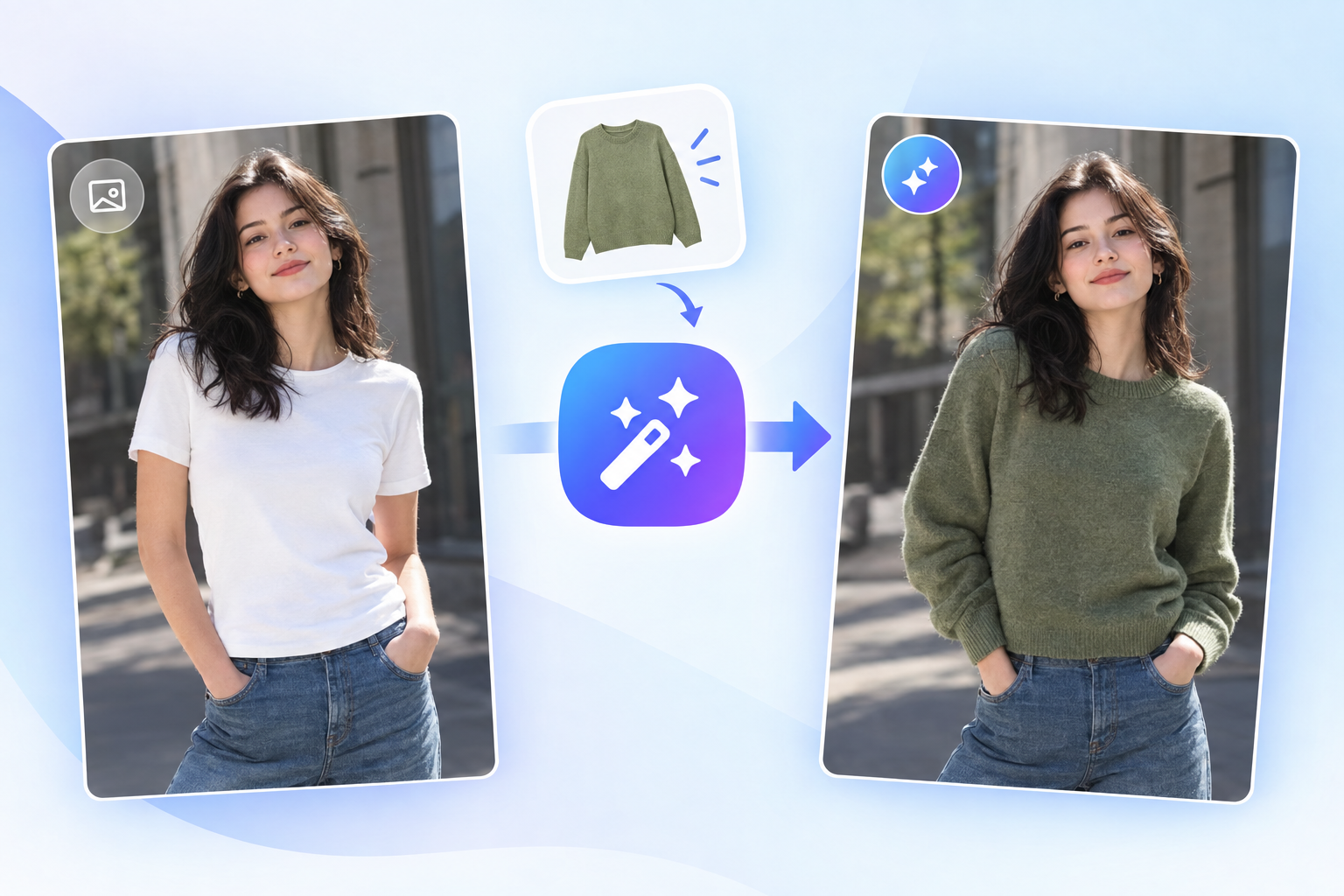
AI Clothes Changer: AI Outfit Swap Review & Practical Guide
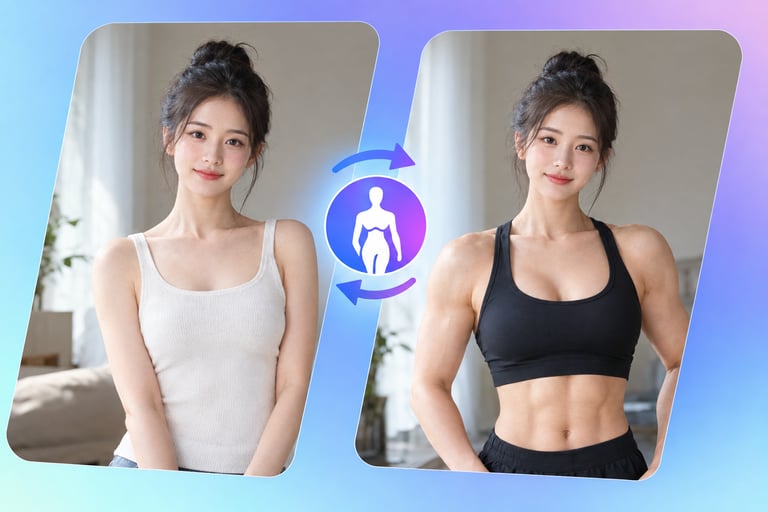
AI Clothes Changer does one thing and does it where most tools struggle: it swaps the outfit on a person in a photo while keeping the body, pose, and lighting consistent. You do not send a separate garment image and hope for a match - the model restyles the clothing based on your request, which makes it faster than classic virtual-try-on pipelines that require garment photos and precise masks.
For anyone who has fought with cut-and-paste wardrobe edits in Photoshop, the appeal is obvious. The hard parts of a clothes swap - matching the drape to the body, matching shadows to the scene, keeping the fabric looking real - are exactly what this model automates. The result is a photo that still looks like a photo, not a collage.
Quick Facts
| Attribute | Value |
|---|---|
| Tool name | AI Clothes Changer |
| Tool ID | ai-clothes-changer |
| Category | AI photo editing / fashion technology |
| Primary task | Replace or restyle clothing in portraits |
| Input | Portrait photo + outfit description or reference |
| Output | Edited portrait with new outfit |
| API | REST inference, no cold starts |
| Best for | Fashion previews, e-commerce styling, creative content |
Table of Contents
- First Impressions
- Core Features
- What to Watch For
- Core Advantages
- Best Use Cases
- Who Should Use It
- FAQ
1. First Impressions
The gap between "change my shirt" and actually changing the shirt is where most AI editors fall apart. AI Clothes Changer closes most of that gap. On clean, full-body or three-quarter portraits, the new garment conforms to the body naturally, and the lighting on the fabric usually agrees with the scene.
It is clearly aimed at practical use rather than novelty. The pipeline is simple enough to drop into an e-commerce or content workflow, and the pricing model is built for volume, not for one-off curiosities.
2. Core Features
- Text-driven restyling: describe the garment - "black tailored blazer" - and the model applies it without a separate clothing photo.
- Body-aware fit: the outfit follows the subject's pose and silhouette rather than floating on top of the image.
- Scene-consistent lighting: fabric shading is adjusted to match the original lighting, which is what separates this from a cheap paste job.
- Minimal masking burden: no manual segmentation or inpainting masks required for typical portrait inputs.
- REST inference API: straightforward integration with no cold starts, suited to product features and batch jobs.
3. What to Watch For
- Complex garments are harder: layered outfits, prints, and accessories can simplify or blur; bold, single-piece descriptions work best.
- Body coverage matters: cropped portraits can limit what the model can plausibly render below the frame.
- Identity check: faces are generally preserved, but verify that hair and skin tone stay consistent in the final output.
- Verify for retail accuracy: if you are showing a specific product, confirm the rendered garment matches the actual SKU rather than a plausible approximation.
4. Core Advantages
- No garment photography needed: you can preview a wardrobe direction with text alone, which is much faster than shooting or sourcing product images.
- Natural compositing: the result is a coherent photograph, not a cutout, because fit, shadow, and texture are handled together.
- Fast iteration: exploring a dozen outfit options takes minutes instead of a styling session.
- Integration-ready: REST API and no cold starts mean the capability can ship as a real product feature, not a demo.
5. Best Use Cases
- Style previews for fashion e-commerce and lookbooks.
- Character wardrobe development for games, film, and illustration.
- Social and influencer content that needs quick outfit variations.
- Creative direction and mood-boarding where multiple outfit options are compared side by side.
6. Who Should Use It
Pick it up if you produce fashion or portrait content at volume and want wardrobe options without a full photoshoot, or you are adding outfit-swap functionality to a product.
Skip it if you need pixel-accurate product visualization of a specific real garment, or your images are heavy crops or odd angles where clothing cannot be rendered plausibly.