99.9% SLA
Topaz Image Denoise: AI Noise Reduction Review & Practical Guide
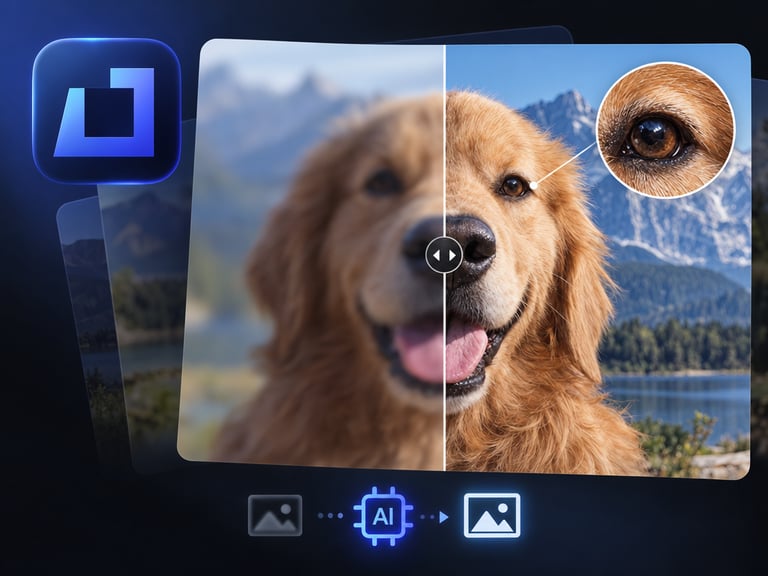
Topaz Image Denoise removes grain and high-ISO noise from photos while preserving the detail underneath. It targets the classic tradeoff in photography: pushing ISO to capture the shot introduces noise, and conventional noise reduction smears the detail along with it.
This model is built to break that tradeoff. Instead of blurring the whole image to hide grain, it separates noise from signal and cleans the image while keeping texture, edges, and fine detail intact. That distinction matters most in low-light and high-ISO photography, where the difference between usable and ruined is often just the denoise pass.
Quick Facts
| Attribute | Value |
|---|---|
| Tool name | Topaz Image Denoise |
| Tool ID | topaz-image-denoise |
| Developer | Topaz Labs |
| Category | AI photo enhancement |
| Primary task | Remove grain and high-ISO noise while preserving detail |
| Input | Noisy photo |
| Output | Cleaned, detail-preserving photo |
| API | REST inference, no cold starts |
| Best for | Low-light photography, events, astrophotography, high-ISO work |
Table of Contents
- First Impressions
- Core Features
- What to Watch For
- Core Advantages
- Best Use Cases
- Who Should Use It
- FAQ
1. First Impressions
The headline result is that detail survives. A high-ISO concert photo cleaned with Topaz Image Denoise keeps the texture in fabric, the structure in hair, and the sharpness in eyes - the things that normal denoise filters flatten into plastic. The image looks cleaner, but it still looks like a photograph.
It handles both luminance grain and color noise, which is what low-light images are full of. For event photographers and anyone shooting without perfect light, it turns a backup-quality file into a deliverable.
2. Core Features
- Noise-aware cleanup: targets grain and high-ISO noise without blurring the whole image.
- Detail preservation: texture, edges, and fine structure survive the denoise pass.
- Luminance and color noise handling: addresses both kinds of noise found in low-light files.
- Natural output: avoids the waxy, over-smooth look of aggressive noise reduction.
- REST inference API: production-ready with no cold starts, from Topaz Labs.
3. What to Watch For
- Extreme noise has limits: heavy noise at very high ISO may require aggressive cleanup that softens fine detail.
- Check skin and hair: these are the areas where over-denoising shows first.
- Order of operations: denoise before sharpening and before most other enhancement passes.
- RAW vs. JPEG: denoising earlier in the pipeline (RAW) gives better results than cleaning a compressed file.
4. Core Advantages
- Rescues low-light shots: files that looked unusable become publishable.
- Detail stays put: cleanup doesn't destroy the texture you wanted to keep.
- Batch-friendly: event sets with consistent ISO can be processed uniformly.
- Trusted imaging pipeline: Topaz's denoising expertise carries into the API.
5. Best Use Cases
- Concert, event, and indoor photography at high ISO.
- Low-light and nighttime shooting.
- Astrophotography and long-exposure cleanup.
- Recovering detail in smartphone photos taken in dim conditions.
6. Who Should Use It
Pick it up if you shoot in low light or high ISO - events, night, astro, or indoor work - and want noise gone without losing the photograph.
Skip it if your files are extremely noisy with almost no detail left to preserve, or you prefer to handle noise in RAW processing before any other edits.