99.9% SLA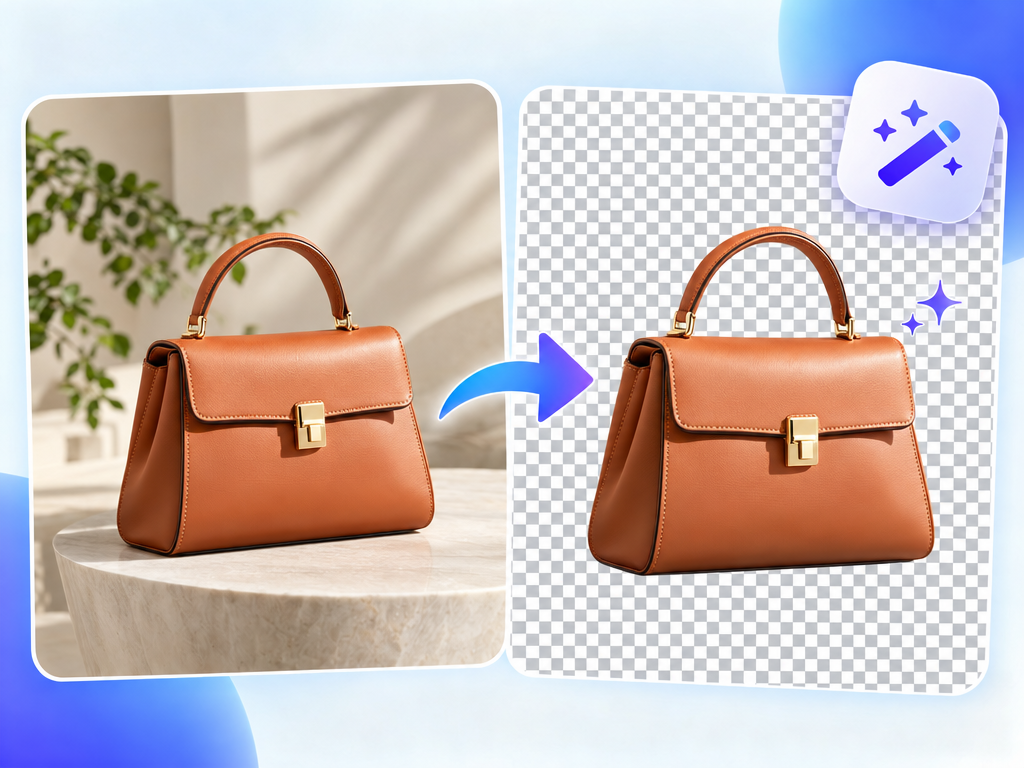
AI Image Background Remover: Cutout Review & Practical Guide
AI Image Background Remover isolates the subject of a photo and outputs a high-quality transparent PNG. It is aimed at the most common commercial imaging task there is: taking a product, person, or object off its background so it can sit on any color, scene, or layout.
The quality bar for cutouts is brutal because the use is usually visible - a product on a white page, a model in a banner, a logo in a document. Jagged edges, halos, or clipped hair strands all read immediately as amateur work. A good background remover has to deliver clean edges, preserve fine detail like hair, and handle varied lighting without leaving a tinted fringe.
Quick Facts
| Attribute | Value |
|---|---|
| Tool name | AI Image Background Remover |
| Tool ID | image-background-remover |
| Category | AI image editing / e-commerce |
| Primary task | Remove backgrounds and output transparent PNGs |
| Input | Photo with background |
| Output | Transparent PNG of the subject |
| API | REST inference, no cold starts |
| Best for | E-commerce, graphics, design, marketing assets |
Table of Contents
- First Impressions
- Core Features
- What to Watch For
- Core Advantages
- Best Use Cases
- Who Should Use It
- FAQ
1. First Impressions
The output is clean where it counts: subject edges hold, hair and fur get the detailed treatment they need, and there's no halo or color fringe left around the silhouette. On typical product and portrait shots, the cutout is usable immediately.
It is built for the workflow that matters commercially - producing consistent, high-quality PNGs at volume. For a storefront with hundreds of SKUs, that's the difference between a manageable process and a design-team bottleneck.
2. Core Features
- Automatic subject isolation: no manual selection, tracing, or edge refinement.
- High-quality transparent PNGs: output ready for any background or layout.
- Fine-detail handling: hair, fur, and intricate edges are preserved.
- Consistent quality: reliable results across product, portrait, and object shots.
- REST inference API: no cold starts, built for e-commerce and design pipelines.
3. What to Watch For
- Low-contrast backgrounds complicate edges: subject and background colors that are too similar challenge the separation.
- Transparency-heavy subjects are hard: glass, smoke, and sheer fabrics may lose translucency.
- Check small details: fine accessories and thin elements can occasionally clip - review close-ups.
- Batch consistency: verify a full catalog set looks uniform before publishing.
4. Core Advantages
- E-commerce ready: consistent white-background-style cutouts for listings and marketplaces.
- Fine-detail edges: hair and fur handled well, which most cheap tools botch.
- Volume-friendly: batch processing makes large catalogs practical.
- Design versatility: transparent outputs drop into any layout or brand scene.
5. Best Use Cases
- E-commerce product photos for marketplaces and storefronts.
- Marketing and ad creative cutouts.
- Design assets and composites.
- Profile and portfolio imagery with clean presentation.
6. Who Should Use It
Pick it up if you run an e-commerce store, design marketing assets, or build tools that need dependable background removal at scale.
Skip it if your images involve heavy transparency (glass, smoke) or subjects nearly identical in color to their backgrounds, where any automatic matte will struggle.