99.9% SLA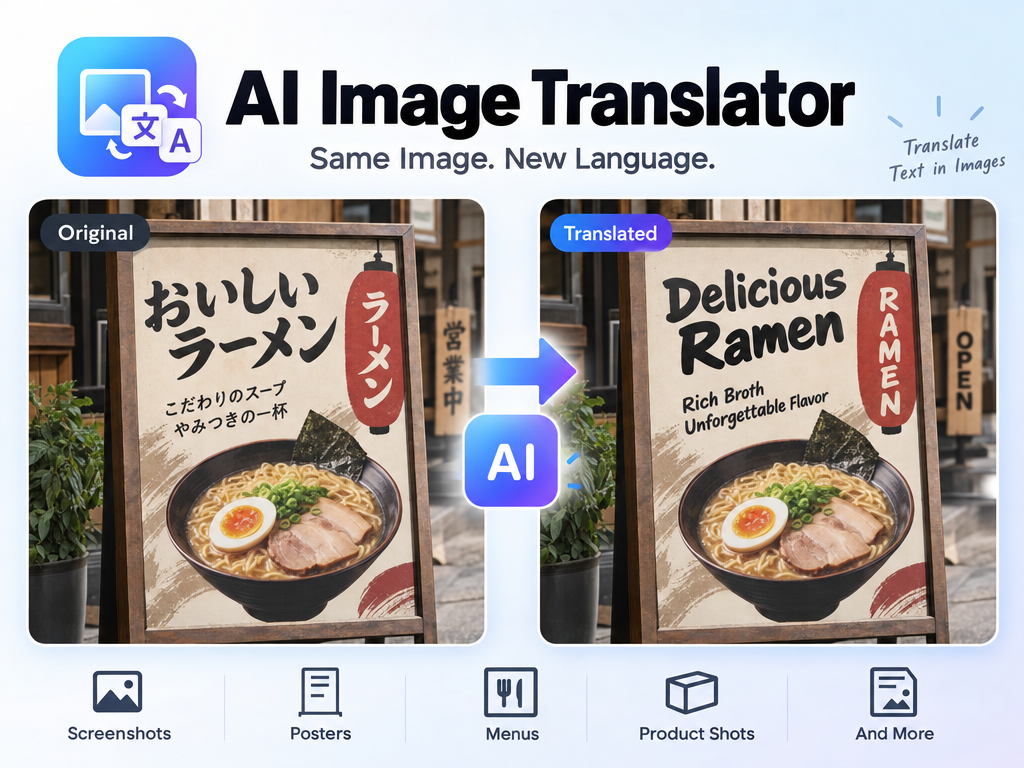
AI Image Translator: Image Text Translation Review & Practical Guide
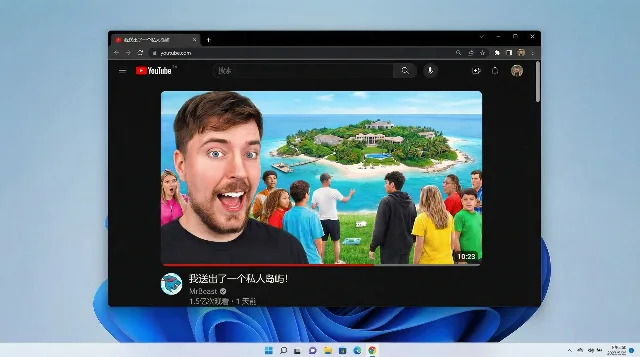
AI Image Translator solves a specific and genuinely hard problem: translating the text that lives inside an image - screenshots, posters, menus, product shots - while keeping the original design intact. Standard machine translation gives you the words; this model gives you the same image, redrawn with translated text that matches the original font, style, spacing, and layout.
That distinction is the whole product. A translated poster that loses its typography stops being a poster and becomes a wall of awkward text. AI Image Translator treats the image as a design object, not just a carrier of words, which is why the output retains the original look and feel with high visual fidelity.
Quick Facts
| Attribute | Value |
|---|---|
| Tool name | AI Image Translator |
| Tool ID | image-translator |
| Category | AI image editing / localization |
| Primary task | Translate on-image text into 30+ languages with layout preservation |
| Input | Image containing text |
| Output | Image with translated text, design preserved |
| API | REST inference, no cold starts |
| Best for | Localization, marketing assets, UI screenshots, signage |
Table of Contents
- First Impressions
- Core Features
- What to Watch For
- Core Advantages
- Best Use Cases
- Who Should Use It
- FAQ
1. First Impressions
The first thing you notice is that translated text actually fits. Long English headlines become shorter or longer in German and Japanese without blowing up the layout, because the model re-renders the whole composition rather than pasting translated strings over the original letters. That is a meaningful engineering achievement, and it shows in the output.
The language coverage - 30+ languages - makes it genuinely useful for localization workflows. What used to require a designer to redo each asset per market now becomes a pipeline step.
2. Core Features
- Full design preservation: font, style, spacing, and layout are recreated around the translated text.
- 30+ target languages: broad coverage for international markets and multilingual content.
- Automatic text detection: the model finds and replaces the text regions without manual selection.
- High visual fidelity: output images keep the original look and feel rather than looking composited.
- REST inference API: designed to slot into localization pipelines with no cold starts.
3. What to Watch For
- Complex layouts are harder: overlapping text, extreme perspective, or highly decorative typography can challenge the re-rendering.
- Character-count changes matter: languages with very different text lengths (German vs. Japanese) can compress or expand elements.
- Check brand names and proper nouns: translation should preserve brand and product names; verify the output.
- Proofread the translation itself: the model handles the visual layer, but a human review of wording is still good practice for customer-facing assets.
4. Core Advantages
- Design-safe localization: assets keep their identity across languages without redesign work.
- Massive speedup: translating a batch of marketing images takes minutes, not a design sprint.
- Consistent quality across languages: the same pipeline works for a global rollout instead of per-market retouching.
- Pipeline-friendly: REST API shape makes it easy to automate per-market asset generation.
5. Best Use Cases
- Marketing asset localization for international campaigns.
- App store screenshots and UI mockup translation.
- E-commerce product images for cross-border stores.
- Editorial and signage translation where the design must stay intact.
6. Who Should Use It
Pick it up if you localize visual content - marketing, e-commerce, or product UI - and want to eliminate the redesign-per-market bottleneck.
Skip it if your images have extremely ornate typography, or if the text itself must go through a strict translation review process before rendering.