99.9% SLA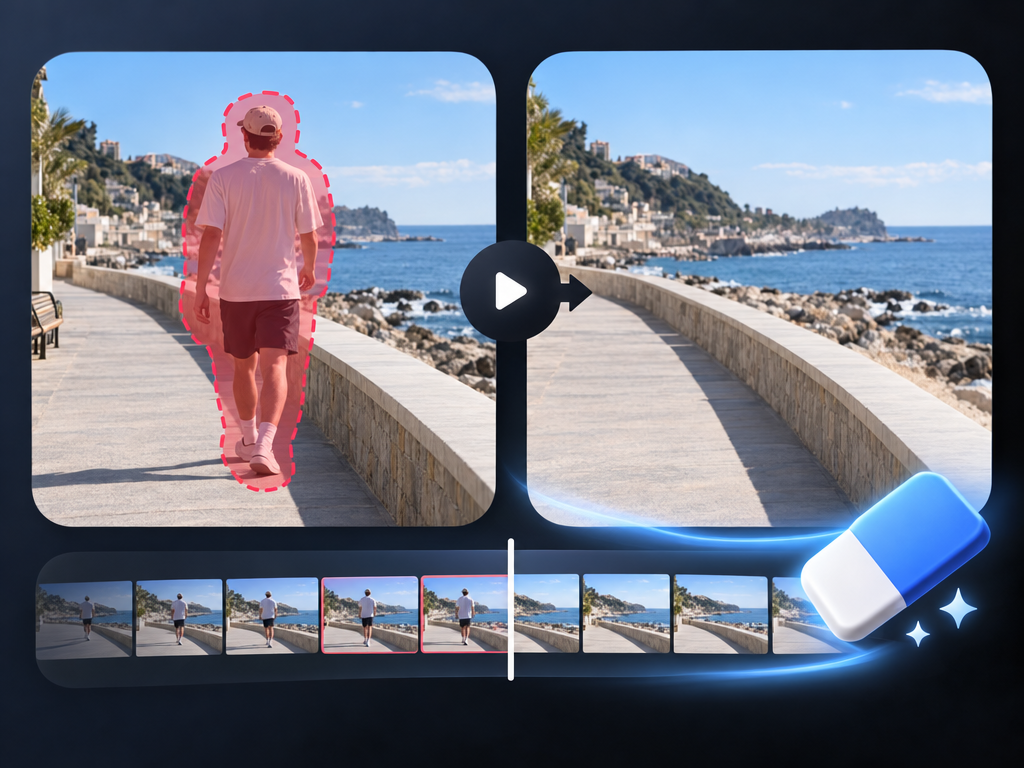
Video Eraser: AI Object Removal Review & Practical Guide
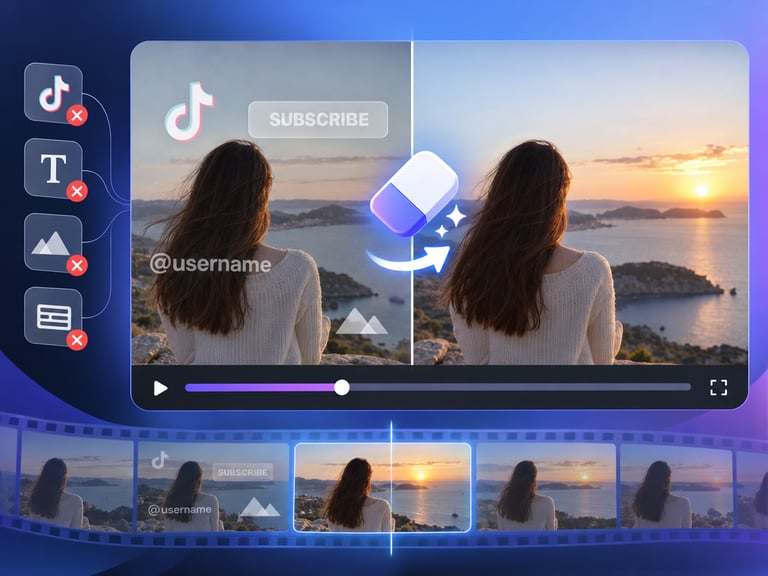
Video Eraser removes unwanted objects, people, or elements from video footage while preserving the quality of everything else. It is the video version of an image eraser - select what should go, and the model reconstructs what should be behind it, frame by frame.
The difficulty multiplies with motion. In a still image, removing a person means inpainting a static region; in video, that region moves, the background behind it changes, and the reconstruction has to stay consistent across time. Any flicker or warping gives the edit away immediately.
Quick Facts
| Attribute | Value |
|---|---|
| Tool name | Video Eraser |
| Tool ID | video-eraser |
| Category | AI video editing / cleanup |
| Primary task | Remove objects, people, and elements from video |
| Input | Video with unwanted elements |
| Output | Cleaned video |
| API | REST inference, no cold starts |
| Format support | Many formats, files up to 10 minutes |
| Best for | Production cleanup, archival repair, content correction |
Table of Contents
- First Impressions
- Core Features
- What to Watch For
- Core Advantages
- Best Use Cases
- Who Should Use It
- FAQ
1. First Impressions
On clean footage with a moving subject and a fairly static background, the removal is impressive: the object disappears and the scene behind it holds together across frames with no visible flicker. The reconstruction tracks the background motion correctly, which is the hardest part of the job.
It is built for real cleanup work - production fixes, archival repair, and content correction - rather than simple cropping. The 10-minute file support and broad format compatibility make it practical for actual footage, not just clips.
2. Core Features
- Targeted removal: objects, people, and elements are removed on request.
- Frame-consistent reconstruction: backgrounds are rebuilt coherently across time.
- Quality preservation: the surrounding footage is not degraded by the edit.
- Broad format support: handles many common video formats.
- Up to 10-minute files: long-form clips are in scope.
- REST inference API: no cold starts for editing pipelines.
3. What to Watch For
- Busy backgrounds are hardest: complex, fast-moving, or highly textured backgrounds challenge reconstruction.
- Large targets leave more to infer: removing a large subject means rebuilding more of every frame.
- Check motion edges: objects passing behind the removal point can cause warping.
- Review before final: spot-check the full clip; artifacts often hide in the middle, not the start.
4. Core Advantages
- Professional cleanup: removes the visible and the distracting without ruining the shot.
- Time consistency: reconstruction holds across frames, the key test for video.
- Long-file support: practical for real footage up to 10 minutes.
- Volume-ready: REST API design fits batch and production workflows.
5. Best Use Cases
- Removing crew, equipment, or bystanders from production footage.
- Cleaning archival video of unwanted elements.
- Correcting content - removing logos, people, or objects that shouldn't be there.
- Prepping footage for rebroadcast or republishing.
6. Who Should Use It
Pick it up if you edit video professionally, manage archives, or produce content that needs objects and people removed cleanly.
Skip it if the elements you need to remove cover large, fast-moving, complex regions of every frame - reconstruction will show its limits.