 99.9% SLA
InfiniteTalk Fast: Open Lip-Sync That Can Keep Talking
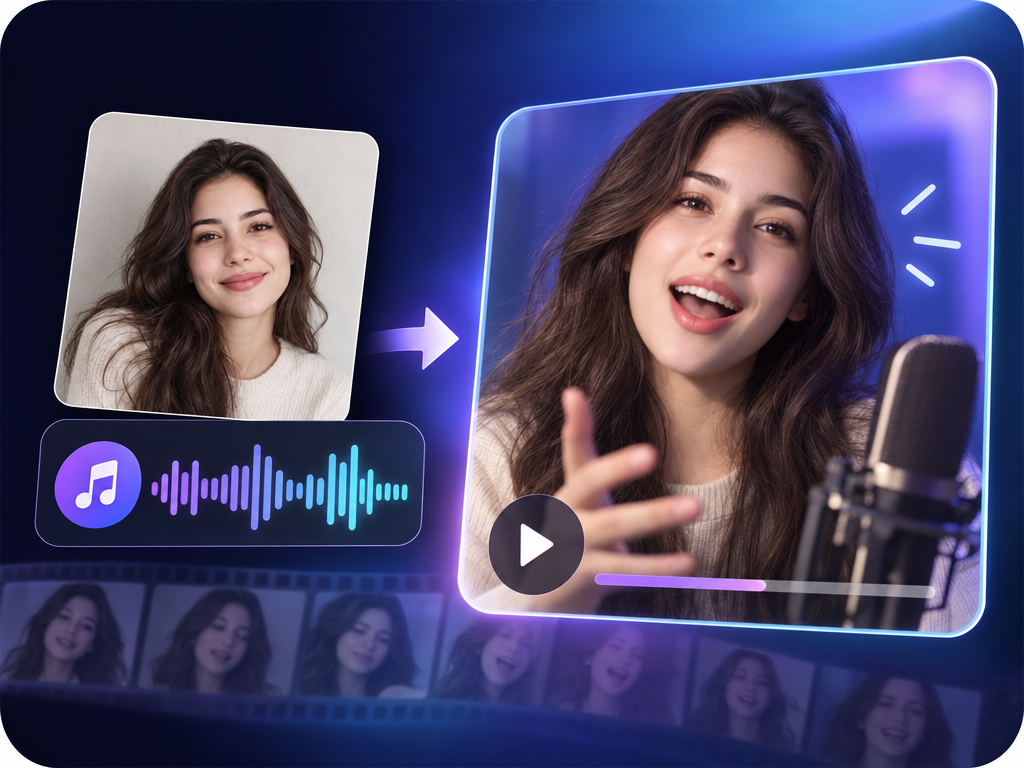
InfiniteTalk is an audio-driven talking-video system built on Wan 2.1 image-to-video. It takes a still character and an audio track, then generates mouth movement, expression, and body motion. The result is aimed at presenters, explainers, training videos, and other content where a face must speak for longer than a few seconds.
“Fast” is a serving or acceleration label rather than one canonical model file. The InfiniteTalk repository supports accelerated inference through FusionX or LightX2V workflows, but the exact user experience depends on the checkpoint and setup.
Quick Facts
| Attribute | InfiniteTalk Fast |
|---|---|
| Project | InfiniteTalk by MeiGen AI |
| Base model | Wan 2.1 Image-to-Video 14B |
| Input | Character image or video plus audio |
| Output | Talking video |
| Resolutions | 480p and 720p workflows |
| Modes | Streaming long-form and short clip |
| Local tools | ComfyUI and repository scripts |
| Fast status | Accelerated serving/checkpoint label |
1. What InfiniteTalk Does
The model combines visual identity from an image or video with an audio track. Its output includes lip movement and broader facial and body animation. It is designed for long-form speech rather than one humorous talking-head loop.
In streaming mode, the system processes audio and video in chunks, which allows long output without requiring the entire timeline in one pass. In clip mode, it generates a shorter segment with one chunk.
The repository also supports multi-person animation. Each speaker needs a distinct visual position and appropriate audio. Overlapping voices or an unclear target can make lip-sync drift.
2. Duration and Quality
The project notes good image-to-video results for up to about one minute. Beyond that, color shift becomes more pronounced. Video-to-video streaming can continue for much longer, but it may introduce drift in camera motion and identity.
Fast acceleration trades some fidelity for speed. FusionX can improve inference speed and initial quality, but the project warns that color shift and identity preservation worsen after roughly one minute. That is a useful warning to plan shots in manageable segments.
Lip-sync accuracy can be tuned with audio guidance. The repository suggests an audio CFG range for better alignment. Higher values can overcorrect expression and make the result look tense or unnatural.
3. Hardware and Local Setup
InfiniteTalk uses a large Wan 2.1 backbone plus audio conditioning weights. It is not a lightweight web widget. The repository offers single-GPU, multi-GPU, quantized, and low-VRAM routes, but “low VRAM” is still a technical deployment rather than a guarantee on a small laptop.
ComfyUI support makes experimentation easier for creators who already understand custom nodes. Expect model downloads, Python dependencies, Flash Attention, FFmpeg, and checkpoint-specific files. Follow the official setup rather than combining random tutorials.
Hosted services may wrap the same project under a credit system. Compare resolution, maximum duration, number of characters, and whether the provider uses a Fast acceleration. A proprietary “InfiniteTalk” interface may not expose the same weights.
4. Consent and Disclosure
Talking-video technology is easy to misuse. Require documented consent from any real person whose face or voice is used. Protect against impersonation, non-consensual sexual content, financial fraud, and deceptive political media.
Keep provenance for the source image, voice, script, and generated output. Disclose synthetic presenters when the audience could reasonably mistake them for a real person or recording. Open weights do not remove these obligations.
5. Best Uses
- Long-form explainers with a virtual presenter.
- Localized training and onboarding content.
- Avatar videos for approved spokespeople.
- Multi-person dialogue prototypes.
- Character animation with a controlled script.
- Local research into audio-conditioned video.
6. Prompting and Production Advice
Use a clear, front-facing source image with stable lighting. Provide clean speech audio without music or overlapping voices. Generate a short test first to check the mouth region, jaw, eyes, and head motion.
Break long scripts into paragraphs or shots. Each segment can start from a saved reference frame, reducing identity drift. Keep the audio and visual segment lengths aligned, and leave room for editing at sentence boundaries.