 99.9% SLA
AI Image Face Swap: Photo Face Swap Review & Practical Guide
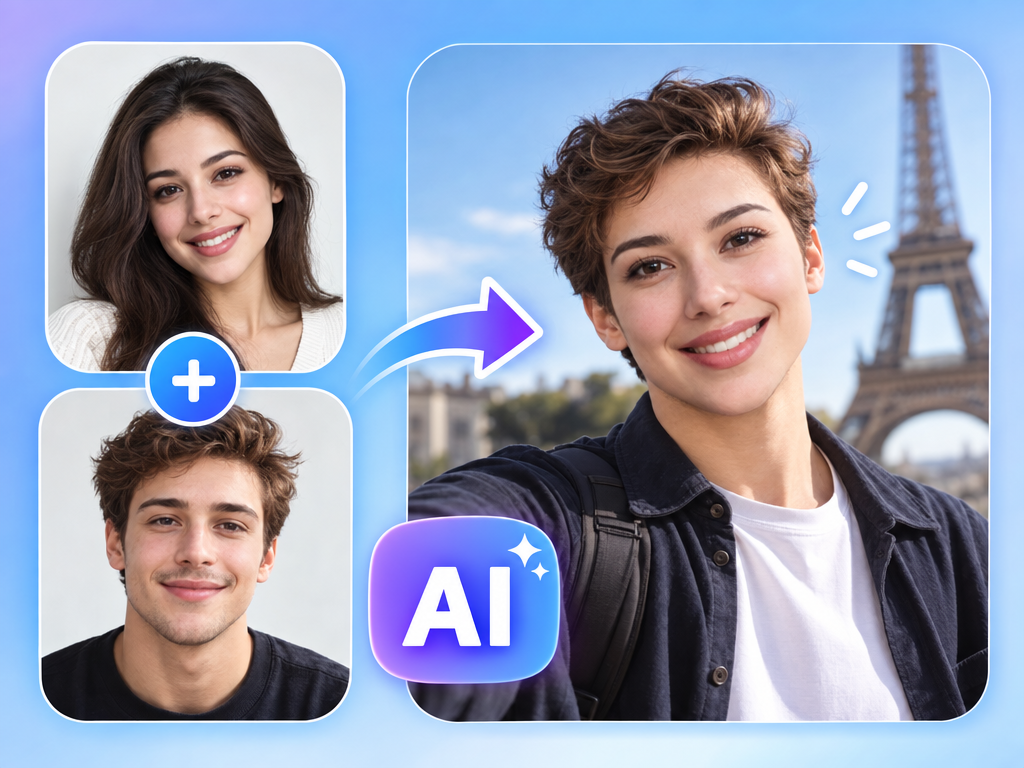
AI Image Face Swap replaces a face in a photo with another face, quickly and without a watermark. It is the still-image version of video face swap, aimed at the same mix of legitimate creative use and entertainment.
The quality bar for a still face swap is seamlessness: the swapped face has to match the target photo's lighting, angle, skin tone, and resolution, and the edges around the face have to disappear into the surrounding skin and hair. A swap that looks pasted is a fail no matter how good the model is at the swap itself.
Quick Facts
| Attribute | Value |
|---|---|
| Tool name | AI Image Face Swap |
| Tool ID | image-face-swap |
| Category | AI photo editing / portrait transfer |
| Primary task | Swap faces in photos |
| Input | Photo + source face image |
| Output | Face-swapped photo, no watermark |
| API | REST inference, no cold starts |
| Best for | Creative content, entertainment, production previews |
Table of Contents
- First Impressions
- Core Features
- What to Watch For
- Core Advantages
- Best Use Cases
- Who Should Use It
- FAQ
1. First Impressions
The composite is tight: the swapped face aligns with the target's pose and lighting, blends at the edges, and holds up at close inspection. On clear frontal portraits with a good source face, the result is genuinely convincing.
The no-watermark output is notable - many face-swap services brand their results. Clean output makes the tool usable for professional creative work rather than just casual testing.
2. Core Features
- Instant face swap: photo in, swapped result out, quickly.
- Seamless blending: edges match the target photo's skin and lighting.
- Alignment handling: the swap adapts to the target's angle and pose.
- No watermark: clean output for professional use.
- REST inference API: no cold starts for apps and platforms.
3. What to Watch For
- Source face quality matters: a clear, front-facing, well-lit source photo produces the best match.
- Lighting differences show: a source face lit differently from the target will betray the swap.
- Consent is essential: swapping real people's faces requires explicit permission from everyone involved.
- Disclosure rules: platforms increasingly require labeling of synthetic media.
4. Core Advantages
- Clean, usable output: no watermark means results are publishable.
- Fast iteration: try different faces on a photo in seconds.
- Quality composites: blending and alignment are handled well.
- Integration-ready: simple API for products and creative tools.
5. Best Use Cases
- Creative portrait experiments and character concepts.
- Entertainment and social content.
- Production previews - visualizing casting choices.
- Privacy work where a face needs replacing with consent.
6. Who Should Use It
Pick it up if you need quick, clean face swaps for creative or production work, or you build apps that offer face-swap features.
Skip it if you lack consent from the people involved, or if your use would deceive viewers - swap responsibly and disclose where required.