 99.9% SLA
AI Video FPS Increaser: Frame Interpolation Review & Practical Guide
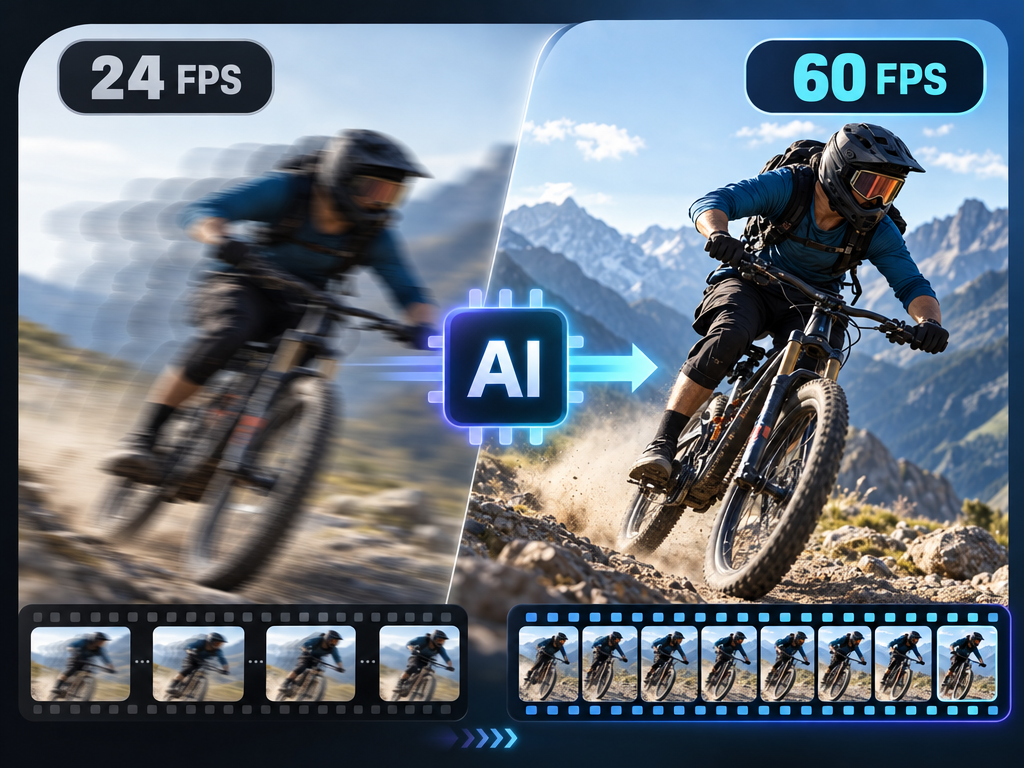
AI Video FPS Increaser raises a video's frame rate - 24fps to 60fps, 30fps to 120fps - by generating intermediate frames between the existing ones. The goal is motion that plays back smooth and fluid on modern displays instead of stuttering.
Frame interpolation is one of those technologies people either love or hate, because the result depends entirely on how well the model predicts motion. Simple interpolation blurs fast movement and creates ghosting; good interpolation understands where objects are going and generates frames that hold up in motion. The quality bar is whether smooth playback survives fast action.
Quick Facts
| Attribute | Value |
|---|---|
| Tool name | AI Video FPS Increaser |
| Tool ID | video-fps-increaser |
| Category | AI video enhancement |
| Primary task | Increase video frame rate with smooth interpolation |
| Input | Video at original frame rate |
| Output | Higher-frame-rate video |
| API | REST inference, no cold starts |
| Best for | Sports, gaming, action footage, display-format delivery |
Table of Contents
- First Impressions
- Core Features
- What to Watch For
- Core Advantages
- Best Use Cases
- Who Should Use It
- FAQ
1. First Impressions
On standard footage, the interpolated frames are clean: motion glides rather than jumps, and fast-moving subjects hold their shape instead of smearing. The model's motion prediction is good enough that the higher frame rate reads as native capture rather than a process.
It is a technical tool with a clear purpose - making footage match modern playback standards - and it delivers that without the artifacts that give interpolation a bad name.
2. Core Features
- Frame interpolation: generates intermediate frames to raise the frame rate.
- Motion-aware prediction: fast movement is tracked rather than blurred.
- Artifact control: minimizes ghosting and smearing in interpolated frames.
- Smooth playback: output matches the fluidity of modern displays.
- REST inference API: no cold starts for processing pipelines.
3. What to Watch For
- Fast, chaotic motion is the hard case: rapid pans and erratic movement can still produce artifacts.
- Source quality matters: low-quality or heavily compressed sources interpolate poorly.
- Artistic choice: some filmmakers deliberately use low frame rates - interpolating changes the look.
- Check fine details: text and patterns in motion are where interpolation artifacts show first.
4. Core Advantages
- Modern playback standards: legacy footage gains the smoothness viewers expect.
- Clean motion: good tracking avoids the ghosting that ruins cheap interpolation.
- Content versatility: sports, action, and gaming footage all benefit.
- Pipeline-ready: batch processing for consistent delivery.
5. Best Use Cases
- Sports and action footage for smooth slow-motion and playback.
- Gaming capture and streaming content.
- Converting legacy footage for modern displays.
- Preparing footage for platforms that prefer higher frame rates.
6. Who Should Use It
Pick it up if you process video for modern delivery - sports, gaming, streaming - and need smooth higher frame rates without interpolation artifacts.
Skip it if your source footage is too compressed to support clean interpolation, or if the original low-frame-rate look is an intentional creative choice.