 99.9% SLA
Topaz Image Sharpen: AI Sharpening Review & Practical Guide
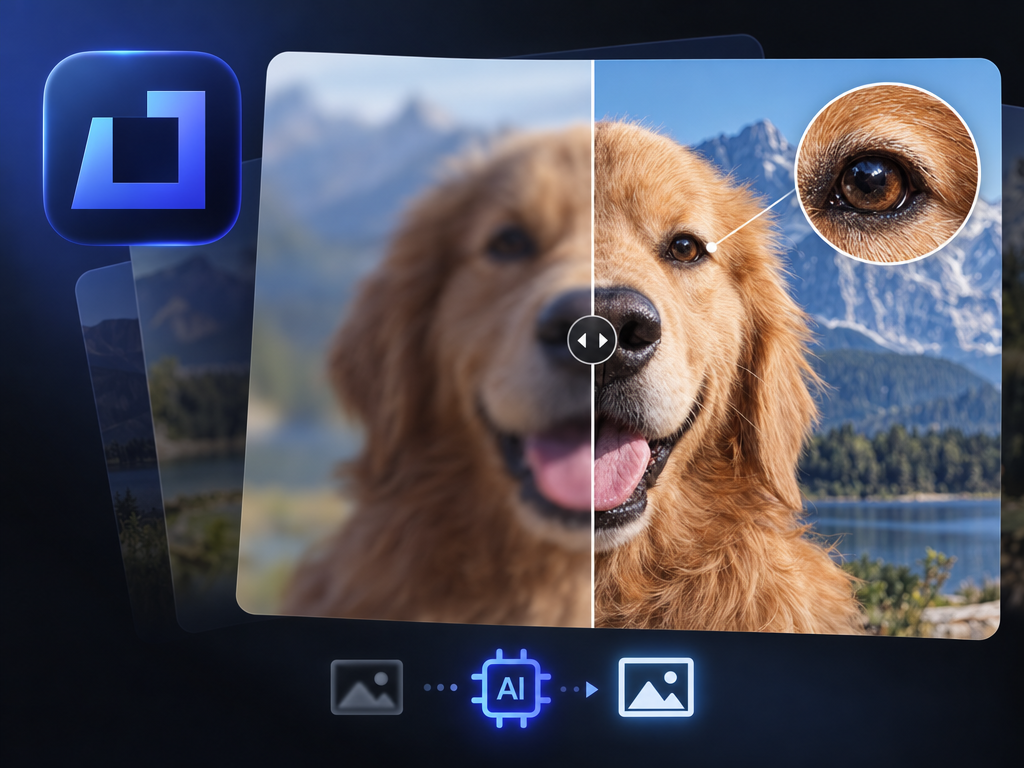
Topaz Image Sharpen brings crisp definition to soft or out-of-focus images. It is aimed at the most common photography failure mode - the shot that was almost perfect except for focus - and applies AI to recover detail that traditional sharpening filters destroy.
Traditional sharpen tools work by boosting edge contrast, which adds halos and noise while doing nothing for genuinely blurred detail. Topaz Image Sharpen works differently: it learns what sharp detail should look like and reconstructs it. That is why it can rescue photos that a standard unsharp-mask pass would only make look worse.
Quick Facts
| Attribute | Value |
|---|---|
| Tool name | Topaz Image Sharpen |
| Tool ID | topaz-image-sharpen |
| Developer | Topaz Labs |
| Category | AI photo enhancement |
| Primary task | Sharpen soft, lens-blurred, or motion-blurred images |
| Input | Soft or blurred photo |
| Output | Sharpened, detail-recovered photo |
| API | REST inference, no cold starts |
| Best for | Photography, e-commerce, archival cleanup, forensics-adjacent work |
Table of Contents
- First Impressions
- Core Features
- What to Watch For
- Core Advantages
- Best Use Cases
- Who Should Use It
- FAQ
1. First Impressions
The difference between this and a sharpen slider shows up on the first real test: a portrait shot slightly out of focus. Where conventional sharpening creates a crunchy, unnatural edge, Topaz Image Sharpen recovers actual texture - hair, fabric, skin - and the result looks like a better version of the original photo, not a processed one.
It handles both blur types that matter most: soft-focus from lens miss and motion blur from camera shake. The motion-blur recovery, in particular, is the kind of thing that used to be written off as unfixable.
2. Core Features
- Detail reconstruction: recovers texture and edge detail that blur removed, rather than just amplifying contrast.
- Lens blur correction: fixes soft-focus and out-of-focus images.
- Motion blur recovery: reduces the smearing from camera or subject movement.
- General softness cleanup: improves slightly soft images without over-processing.
- Natural-looking output: avoids the halos and crunchy edges typical of conventional sharpening.
- REST inference API: production-ready with no cold starts, from Topaz Labs.
3. What to Watch For
- Severe blur has limits: heavy, multi-directional blur or long-exposure smears may not fully recover.
- Faces need a check: skin can over-smooth on aggressive settings; verify texture looks natural.
- Noise can be amplified: sharpening recovered detail on a noisy image may also sharpen the noise - denoise first when needed.
- Not a substitute for focus: it rescues, but a properly focused capture is always better.
4. Core Advantages
- Rescues otherwise unusable shots: photos that fail focus checks become usable.
- Higher quality than conventional sharpening: natural detail recovery beats edge-contrast tricks.
- Batch-friendly for catalogs: e-commerce and archival workflows can process volume.
- Trusted brand pipeline: Topaz's imaging expertise carries into the API.
5. Best Use Cases
- Rescuing event and candid photos with missed focus.
- E-commerce product images shot slightly soft.
- Archival scans that lost sharpness in digitization.
- Sports and action photography with motion blur.
6. Who Should Use It
Pick it up if you work with photography at scale - shoots, archives, e-commerce - and need reliable sharpening that improves images instead of processing them.
Skip it if the blur is extreme, you're starting from very noisy files (denoise first), or the image is a small crop where there is no detail left to recover.