Skip to main content

Seedream 5.5

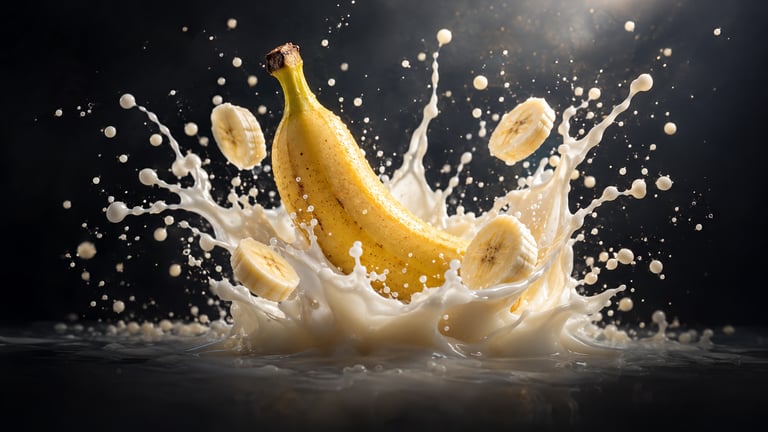
ByteDance image generation and editing with up to 10 references, 1K to 2K output, and transparent PNG backgrounds.

  • 99.9% SLA
  • Official Discounts
  • Pay-as-you-go
  • Fast & Low Latency
Brand:ByteDancePrice: $0.0176 / image
Open docs

API DOCS / SIMPLIFIED

Task API overview

Create a task for Seedream 5.5 with its model ID and parameters, then use the returned task ID to check its status. Include your MuseSpark API key in each request.

Input mode
X-API-Key on every request
POST /api/v1/openapi/task
GET /api/v1/openapi/task/status/{task_id}
Async task workflow

Create a task and retrieve its status

Replace the API key placeholder and review the example parameters before sending the request. Each example checks status once; repeat the status request until the task finishes. For cURL, also replace the task ID placeholder with the ID returned by the create request.

Task API

API_KEY="<API_KEY>"
BASE_URL="https://api.musespark.ai"
REQUEST_BODY='{
  "model_id": "seedream-5-5",
  "parameters": {
    "prompt": "A cinematic portrait with soft lighting",
    "resolution": "1.5K",
    "aspect_ratio": "auto",
    "background": "auto",
    "batch_size": 1,
    "output_format": "png"
  }
}'

CREATE_RESPONSE=$(curl --request POST "$BASE_URL/api/v1/openapi/task" \
  --header "X-API-Key: $API_KEY" \
  --header "Content-Type: application/json" \
  --data-raw "$REQUEST_BODY")

printf '%s\n' "$CREATE_RESPONSE"
TASK_ID="<TASK_ID_FROM_CREATE_RESPONSE>"

curl "$BASE_URL/api/v1/openapi/task/status/$TASK_ID" \
  --header "X-API-Key: $API_KEY"

Request and response

The request creates a task; the response shown is an example from a status lookup. Inline comments explain fields and must be removed before sending or parsing the copied JSON.

Create task request

Send this request body to the task creation endpoint with values appropriate for your use case.

Request Body · JSON
{
"model_id": "seedream-5-5",// target model
"parameters": {
"prompt": "A cinematic portrait with soft lighting",// describe the image to generate or how the reference images should be edited · min 1 · min length 1
"resolution": "1.5K",// output resolution: 1K, 1.5K or 2K. 1K and 1.5K use the same price · enum: 1K | 1.5K | 2K
"aspect_ratio": "auto",// output image aspect ratio. Auto lets the model choose from the prompt or reference images · enum: auto | 1:1 | 4:3 | 3:4 | 16:9 | 9:16 | 3:2 | 2:3 | 2:1 | 1:2 | 21:9
"background": "auto",// background treatment. Transparent output is supported with or without references and requires PNG · enum: Auto | Opaque | Transparent
"batch_size": 1,// standard quantity control field. The allowed range for this item is 1-15 · min 1 · max 15
"output_format": "png"// pNG or JPEG. Transparent backgrounds require PNG. Omit to use the provider default · enum: PNG | JPEG
}
}

Available parameters and their requirements depend on the selected model or tool and input mode.

Task status response

A completed task may return output in its result. The result fields and output format depend on the model or tool.

Response Body · JSON
{
"code": 200,// 200 on success
"msg": "success",
"data": {
"task_id": "task_01HQX8N2QJ0YQ8Q0T7G6N4V6K2",// use for status polling
"status": "completed",// enum: queued | running | completed | failed | cancelled
"progress": 100,// 0-100 if available
"completed_at": 1760000000,// unix timestamp
"expires_at": 1760001800,// unix timestamp
"result": {
"output_urls": [// generated files
"https://cdn.example.com/output.png"
]
}
}
}

Poll every 2-5 seconds and stop once status becomes completed, failed, cancelled.