99.9% SLA
Kling VIDEO 3.0 Motion Control: Reference-Driven Motion Transfer - Full Review
Kling VIDEO 3.0 Motion Control is Kuaishou's upgrade to the motion-control capability first introduced in VIDEO 2.6: you drive a generated character's movement from a reference video or hand-painted motion paths, instead of describing motion in words. The official guide positions it around three headline capabilities - consistent facial identity from any angle, complex emotions faithfully reproduced, and high-fidelity face-occlusion restoration.
Here's the short version: this is the right tool when "the camera moves left while the subject jumps" is too vague - you have actual footage of the movement you want, or you want to paint exactly where things move. Kling's version is notable because it couples motion transfer with identity preservation: the generated character keeps its face through angles and occlusions that break older models. The honest caveats: motion control quality is heavily input-dependent (the reference video defines the ceiling), the capability sits inside the Kling ecosystem rather than a standalone open model, and public docs describe the workflow more thoroughly than the exact output specs.
This guide covers model overview, core features, technical specifications, capability comparison, core advantages, recommended use cases, example prompts, selection recommendations, workflow, and my verdict.
Quick Facts
| Attribute | Value |
|---|---|
| Model | Kling VIDEO 3.0 Motion Control |
| Developer | Kuaishou (KwaiVGI) |
| Release | Early March 2026 |
| Base | Kling VIDEO 3.0 (builds on 2.6 Motion Control) |
| Motion input | Reference video and/or motion brush paths |
| Key upgrades | Consistent facial identity from any angle; complex emotions; face-occlusion restoration |
| Character control | Reference image defines character identity |
| API | Kling AI task API (video/motion-control) |
| Open weights | No |
Table of Contents
- Model Overview
- Core Features
- Technical Specifications
- Capability Comparison
- Core Advantages
- Recommended Use Cases
- Example Prompts
- Selection Recommendations
- Workflow: From Reference Motion to Controlled Shot
- The Bottom Line
- FAQ
- Sources & Further Reading
1. Model Overview
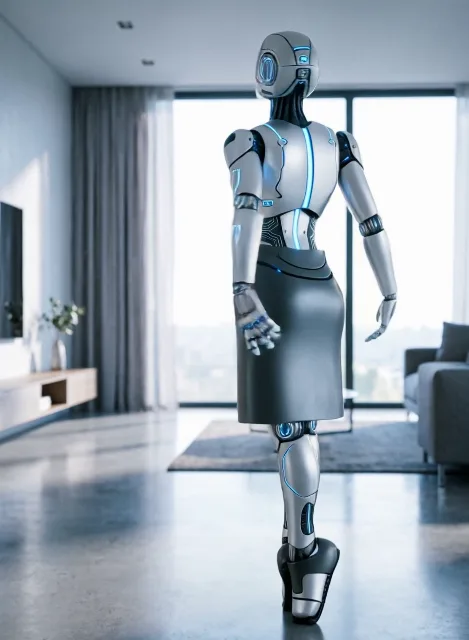
Text prompts are a terrible interface for motion. "Dance like a confident person" leaves too much to the model. Kling's motion control fixes this with reference inputs: feed it a motion-driver video (real human movement, an animated clip, or a camera move) and it transfers that motion onto a character defined by a reference image, while keeping the character's identity stable.
VIDEO 3.0 Motion Control is the second generation of this capability, and the official guide highlights three specific upgrades over 2.6:
- Consistent facial identity from any angle - the face stays recognizable as the character turns.
- Complex emotions, faithfully reproduced - expressive performances transfer rather than flattening into neutral motion.
- Face occlusion, high-fidelity restoration - when the face is temporarily hidden, the model restores it correctly when it reappears.
This makes 3.0 Motion Control a performance-transfer tool, not just a motion-transfer tool - the distinction that matters for character-driven content.
2. Core Features
Reference-video motion transfer. Full-body motion from a reference video is transferred to the target character. The reference defines the movement; the reference image defines who moves.
Motion brush. Paint custom motion paths directly onto elements in the frame - the alternative to reference video when you want precise, hand-authored movement for specific parts of the scene.
Facial identity consistency. The character's face holds through rotation and varying angles - the upgrade that makes motion transfer usable for close-ups.
Complex emotion reproduction. Emotional nuance in the source performance carries into the generated character, rather than being averaged away.
Face-occlusion restoration. When hands, props, or motion temporarily cover the face, the model restores identity and detail on reappearance.
Kling ecosystem integration. Same task API, asset management, and generation pipeline as the rest of Kling VIDEO 3.0 - motion control is a mode, not a separate product.
3. Technical Specifications
| Specification | Detail |
|---|---|
| Capability | Motion transfer + motion brush |
| Base model | Kling VIDEO 3.0 |
| Motion input | Reference video, painted motion paths |
| Character input | Reference image |
| Identity features | Angle-consistent faces, emotion transfer, occlusion restoration |
| API | Kling video motion-control task endpoint |
| Async model | Task creation + polling |
| Output retention | Generated results cleaned after ~30 days (hotlink-protected URLs) |
| Output specs | Follow Kling VIDEO 3.0 (resolution/duration per platform) |
| Open weights | No |
Note: The official quickstart guide documents capabilities and workflows clearly; exact output-resolution tables are version-dependent and best confirmed via the live API reference.
4. Capability Comparison
| Capability | Kling 3.0 Motion Control | Kling 2.6 Motion Control | Text-only generation (no control) |
|---|---|---|---|
| Reference video input | Yes | Yes | No |
| Motion brush | Yes | Limited | No |
| Facial identity across angles | Yes (headline upgrade) | Partial | Depends on prompt |
| Emotion transfer | Yes (headline upgrade) | Limited | Rarely controllable |
| Occlusion restoration | Yes (headline upgrade) | Weak | N/A |
| Character identity | Reference image | Reference image | Prompt only |
| Control precision | High | Medium | Low |
Reading the table honestly:
- The three headline upgrades (identity, emotion, occlusion) are exactly the failures that made first-gen motion transfer uncanny - fixing them is the real product.
- If your shots keep faces visible and simple, 2.6-era motion control may suffice; 3.0 earns its upgrade on hard cases.
- Text-only generation remains the fallback when no reference exists, but expect far less motion precision.
5. Core Advantages
- Identity-preserving motion transfer. The character keeps its face through angles that previously broke consistency - the single most important upgrade.
- Emotion-aware performance. Complex expressions transfer from the source, enabling character performance rather than robotic movement.
- Occlusion restoration. Faces hidden by motion are reconstructed correctly on reappearance - a hard problem solved at the model level.
- Two motion interfaces. Reference video for real performances, motion brush for authored paths - coverage across workflow types.
- Ecosystem fit. Motion control inside Kling 3.0's task API means no separate integration for existing Kling users.
- Practical for production iteration. Async tasks and 30-day asset retention fit shot-list workflows.
6. Recommended Use Cases
- Character animation from live performance: transfer a real actor's movement to a generated character.
- Dance and action choreography: reference clips drive complex, physically grounded motion.
- Camera-move control: use reference footage to define exact camera paths.
- Emotion-driven scenes: reproduce nuanced performances for dialogue or character moments.
- VFX and game cinematics: motion brush for authored element paths (flags, cloth, particles).
- Multi-angle character consistency: shots where the character turns or is temporarily occluded.
7. Example Prompts
1. Performance transfer
2. Motion brush
3. Occlusion-heavy action
4. API task
8. Selection Recommendations
Choose Kling 3.0 Motion Control if:
- You have reference footage of the motion you want to reproduce.
- Your shots include face rotation, emotion, or occlusion - the three upgraded areas.
- You need authored motion paths via the motion brush.
- You are already in the Kling ecosystem.
Choose standard Kling 3.0 generation if:
- You do not have reference motion and the shot can be described in text.
- Cost or simplicity outweighs motion precision.
Consider a generalist video model (Veo 3.1, Sora 2) if:
- Your priority is overall cinematic quality or 4K output rather than precise motion control.
9. Workflow: From Reference Motion to Controlled Shot
Practical notes:
- Quality of the reference video sets the ceiling - use clean, stable footage.
- Match character orientation to the reference motion where possible; large mismatches force the model to guess.
- Test occlusion shots explicitly; that is where 3.0's restoration either works or doesn't.
- Download outputs promptly; Kling URLs are cleaned after ~30 days.
10. The Bottom Line
Verdict: Buy for performance-driven and occlusion-heavy shots - the strongest motion-control upgrade of the generation. Kling VIDEO 3.0 Motion Control fixes the three things that made first-gen motion transfer uncanny: facial identity across angles, emotion fidelity, and occlusion restoration. If you produce character animation or action content from reference performances, this is currently the best-documented capability of its kind in the Kling ecosystem, and the motion brush adds precision text prompting cannot. The caveats are the usual Kling ones - no open weights, output specs to verify on the live API, and a workflow that only pays off when you have good reference input. If you need 4K or fully documented specs, Veo 3.1 remains the safer generalist.
Sources & Further Reading
- Kling Motion Control User Guide - official
- Motion Control 3.0 API - Kling AI official docs
- Kling AI Open Platform
Capabilities reflect Kling's official motion-control guide as of August 2026. Output specs are version-dependent; verify on the live API before production.