 99.9% SLA
AI Talking Photos: Talking Photo Review & Practical Guide
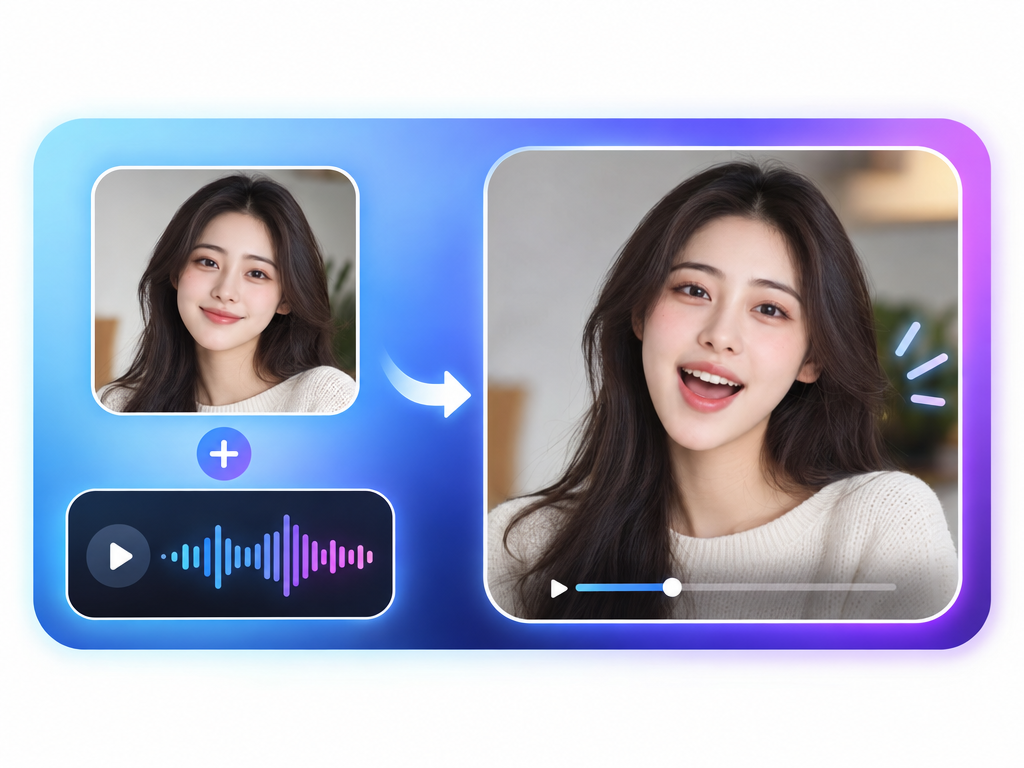
AI Talking Photos brings still photos to life by animating them into talking videos. A single portrait becomes a speaker - mouth moving in sync with an audio track, subtle head motion added, the original face preserved.
The category has one job: make a static person look like they are really speaking. That requires three things to work together - believable lip-sync, natural micro-movements, and enough fidelity that the person still looks like the photo. Tools that miss any one of those produce results that are technically talking and obviously fake.
Quick Facts
| Attribute | Value |
|---|---|
| Tool name | AI Talking Photos |
| Tool ID | ai-talking-photos |
| Category | AI video generation / digital humans |
| Primary task | Animate a still photo into a talking video |
| Input | Photo + audio (or script) |
| Output | Talking video of the photo subject |
| API | REST inference, no cold starts |
| Best for | Tributes, education, virtual presenters, creative storytelling |
Table of Contents
- First Impressions
- Core Features
- What to Watch For
- Core Advantages
- Best Use Cases
- Who Should Use It
- FAQ
1. First Impressions
The gap between a gimmick talking photo and a believable one comes down to restraint. AI Talking Photos is on the restrained side: the head moves slightly, the eyes stay natural, and the mouth does the main work. That restraint is what makes the result watchable.
It is a straightforward tool with a clear sweet spot - portrait-quality inputs and clean audio produce results that hold up in social, educational, and creative formats.
2. Core Features
- Still-photo animation: one photo becomes a talking video without footage or rigging.
- Audio-driven lip-sync: mouth motion follows the supplied audio closely.
- Natural head motion: subtle movement keeps the performance alive without becoming robotic.
- Identity preservation: the person in the photo stays recognizable throughout.
- REST inference API: simple, no-cold-start integration for content products.
3. What to Watch For
- Frontal, clear photos win: side angles and low-res images limit how naturally the face can animate.
- Audio quality drives sync: clean, noise-free audio produces tighter mouth motion.
- Long speeches amplify drift: the longer the clip, the more any stiffness shows - keep typical outputs short.
- Tone matters for sensitivity: animating a photo of a real person should respect the person's wishes, especially in tribute or memorial contexts.
4. Core Advantages
- Zero filming required: anyone with a photo becomes a speaker.
- Fast production: script and audio in, talking video out, in minutes.
- Consistent identity: the video looks like the person in the photo, which matters for trust.
- Simple integration: fits easily into apps that need on-demand talking content.
5. Best Use Cases
- Educational content where a character or historical figure speaks.
- Tribute and memory videos that bring a photo to life respectfully.
- Virtual presenters and explainer characters built from a portrait.
- Social and marketing content that needs a talking face without a shoot.
6. Who Should Use It
Pick it up if you need talking-face video without a camera, or you build products that animate portraits on demand.
Skip it if you need full-body performance, complex expressions, or long-form content where subtle stiffness becomes distracting.